Free Background Remover - Transparent Background Maker (AI)
Impixa is the best free background remover tool that runs 100% in your browser. Unlike other tools, we process your images locally using advanced WebAssembly AI, ensuring your photos are never uploaded to a server. Perfect for creating transparent backgrounds for e-commerce products, social media profiles, and logos instantly.
Why Use Impixa Background Remover?
🚀 Instant AI Removal
Our Turbo Engine processes images in milliseconds. Just upload and get a transparent background instantly with high precision.
🔒 100% Private & Secure
All processing happens in your browser using secure WebAssembly. Your photos never leave your device, unlike other tools that upload your data.
📦 Batch Background Removal
Remove backgrounds from up to 10 images at once. Perfect for Amazon sellers, Shopify stores, and bulk product editing.
💎 Dual AI Engines
Choose Turbo for speed or Ultra for maximum quality on complex details like hair. High resolution output without watermarks.
Use Cases
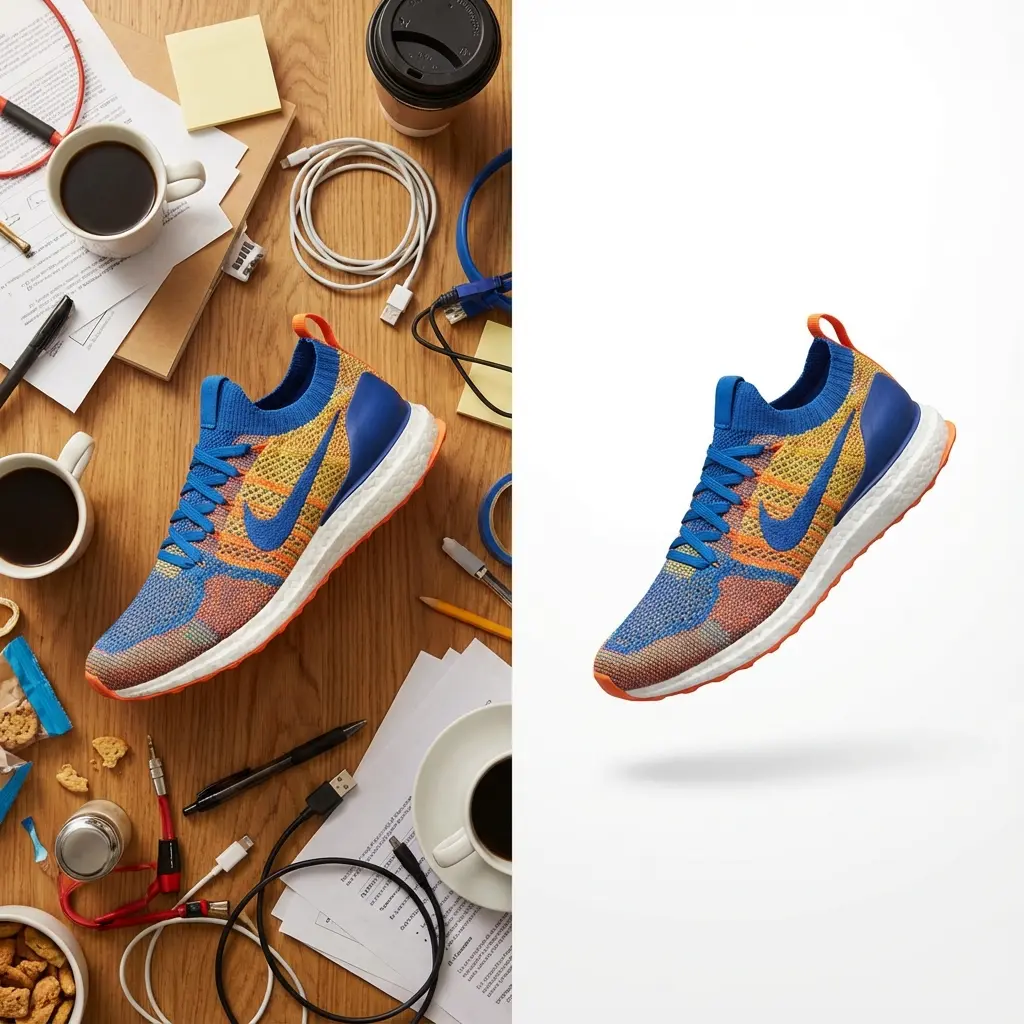
For E-commerce & Amazon
Clean up your product photography instantly. Remove distracting backgrounds from sneakers, apparel, and gadgets to create professional white background images for Amazon, eBay, and Shopify listings.
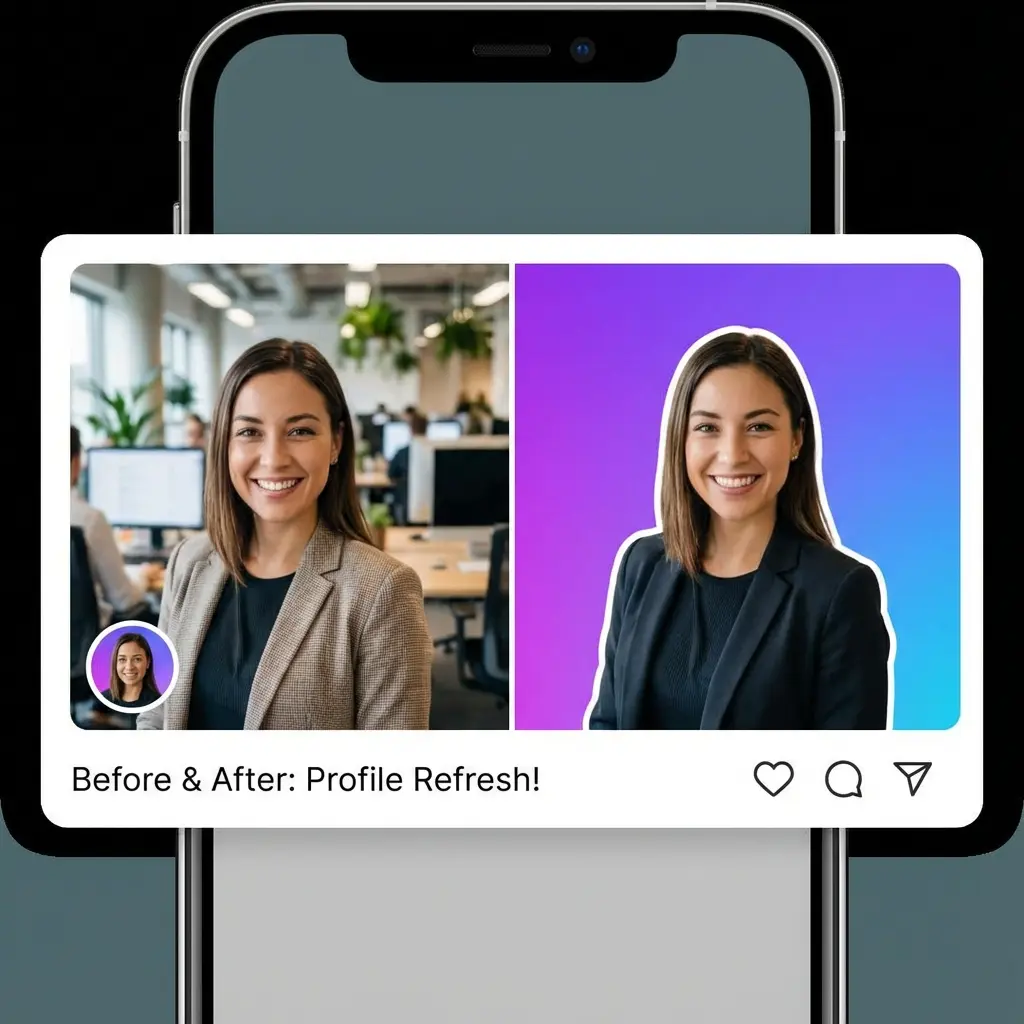
For Social Media Profiles
Stand out on LinkedIn, Instagram, and Twitter. Create a transparent background for your headshot and replace it with a vibrant color or gradient to pop in the feed.
How to Remove Background from Image
- Upload Your Image: Click the "Upload" button or drag and drop your files (JPG, PNG, WebP) onto the canvas.
- Automatic Processing: Our AI instantly detects the subject and removes the background automatically.
- Review Result: Use the comparison slider to check the before/after result.
- Download: Click "Download" to save your image as a high-quality transparent PNG.
Impixa vs. Other Tools
| Feature | Impixa | Other Web Tools | Traditional Software |
|---|---|---|---|
| Cost | 100% Free | Paid (Credits) | Subscription |
| Batch Processing | Yes (10 Images) | No (Free plan) | No |
| Resolution | Unlimited HD | Low Res (Free) | Standard |
| Privacy | Local Processing | Cloud Upload | Cloud Upload |
| No Signup | Yes | No | No |
Frequently Asked Questions (FAQ)
Is Impixa completely free?
Yes, Impixa is 100% free to use. You can process unlimited images without any credit system or hidden fees.
How does multiple image processing work?
You can select up to 10 images at once. Our tool will process them one by one in the background. You can then download them individually or as a ZIP file.
Do I need to install any software?
No, Impixa works entirely in your web browser. You don't need to download or install any software. It works on Windows, Mac, Linux, and Mobile devices.
What formats are supported?
We support all major image formats including JPG, PNG, WebP, and GIF. The output is always a high-quality transparent PNG.